Why are there so few accessibility complaints from users?

Unfortunately, most websites and apps still have considerable accessibility problems. Yet, customer support staff usually receive only a few complaints related to these obstacles. Why is that?

Many users still meet barriers

Despite EU legislation, not a single website or app meets all accessibility requirements, according to the Swedish government agency monitoring the EU Web Accessibility Directive.

Metamatrix can confirm this situation after performing hundreds of accessibility audits. 

Not many complain about accessibility

Still, customer support staff rarely report getting more than a handful complaints about accessibility. If any. Even in organizations from whom a law requires an accessible accessibility complaint form!

This does not mean that accessibility is overrated

On the surface, the lack of complaints seems to confirm the intutition expressed by some sceptics, that not many people need accessibility. 

Person pondering, and saying that Almost nobody complained, so our accessibility is probably OK!

But we know for a fact that barriers are real.

When developers or managers believe the needs are exaggerated, they down-prioritize efforts to remove barriers. Which makes life even more challenging for persons with disabilities.

This article is an attempt to explain why there are so few complaints event though many are affected.

16 reasons why users don't report barriers

There isn't just one reason for the lack of users reporting accessibility problems. There are many.

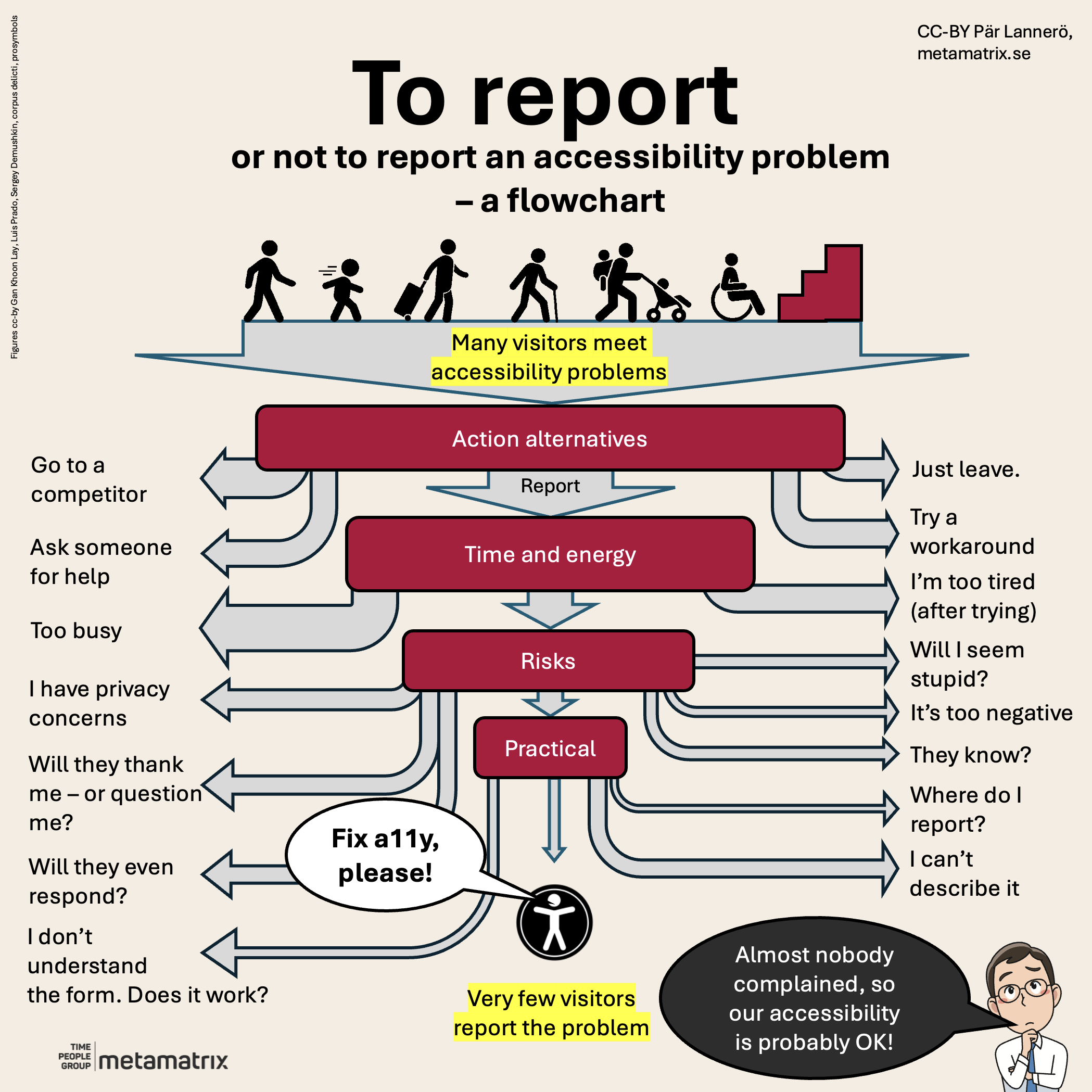
Here, we present 16 resasons in four categories:

1. Alternative actions

Action alternatives (described below)

  • Unless the website or app belongs to a government agency or other "monopolist", there's usually a competitor. So the easiest way to get past an accessibility problem is simply to go to the competitor instead. They're probably not perfect either, but with some luck, they do not have the same kind of barrier.
  • Some persons with disabilities have an assistant, a relative, a colleague or somebody else they can ask for help. This may be a good solution. But not always.
  • Sometimes, visiting the website or downloading the app wasn't really that necessary. In those cases, if there's a barrier, the user can simply abandon it. But really, this is discrimination in action. 
  • Other times, a user might postpone using the service. Maybe the problem was only temporary? The problem, however, is that the user may not remember to come back later.

2. Time and energy

Time and energy (described below)

Even if the user cannot go to a competitor, doesn't want to abandon the service, postpone, or ask for help, but really would like to report the problem, there are often limiting factors in real life:

  • Most of us are busy. We have a meeting, a work task to complete, a child to pick up from kindergarten, or maybe a date. So at the time we get stuck, especially after trying for a while to overcome the obstacle, there may be simply no time to contact the owner of the website or app.
  • And even if we do have time, we may not have the energy it takes to describe the problem. Especially if much energy was drained while trying to use the inaccessible service.

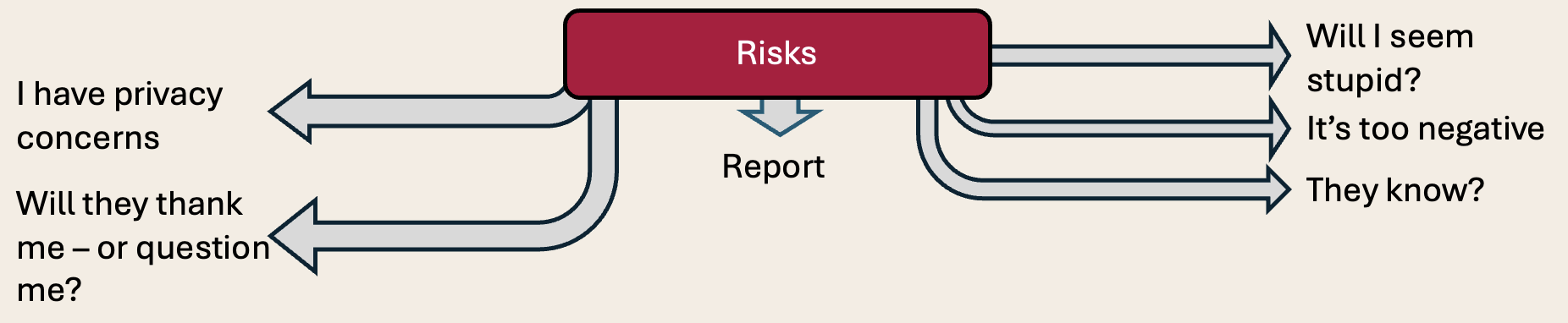
3. Risks

Risks (described below)

Let's assume you decided you want to report the issue, and you do have some time and enough energy. Now is the time to think about possible implications. Unfortunately, not everybody will get past this stage, because:

  • Many people simply do not want to be the negative person who complains!
  • Or you may have previously had negative reactions, that make you hesitate. Such as staff who blame or question the user, saying things like: Did you really follow the manual? Is your software up to date? Are you sure that is what happened?
  • In fact, there is a slight risk that the problem is not in the app or website, but in how you used it. And getting exposed as a "stupid" user isn't an what most people are longing for.
  • You may not want to disclose your disability to the organization operating the app or website. What if that organization is leaking data about their users. What will happen if my insurance company gets to know about my disability? Or a potential employer?
  • You may not want anybody to know about your interest in this website or app. Reporting a barrier usually involves disclosing your name and possibly contact details. 
  • Finally, it is possible that the website or app owner already knows about the problem, so you risk spending your time and effort in vain.

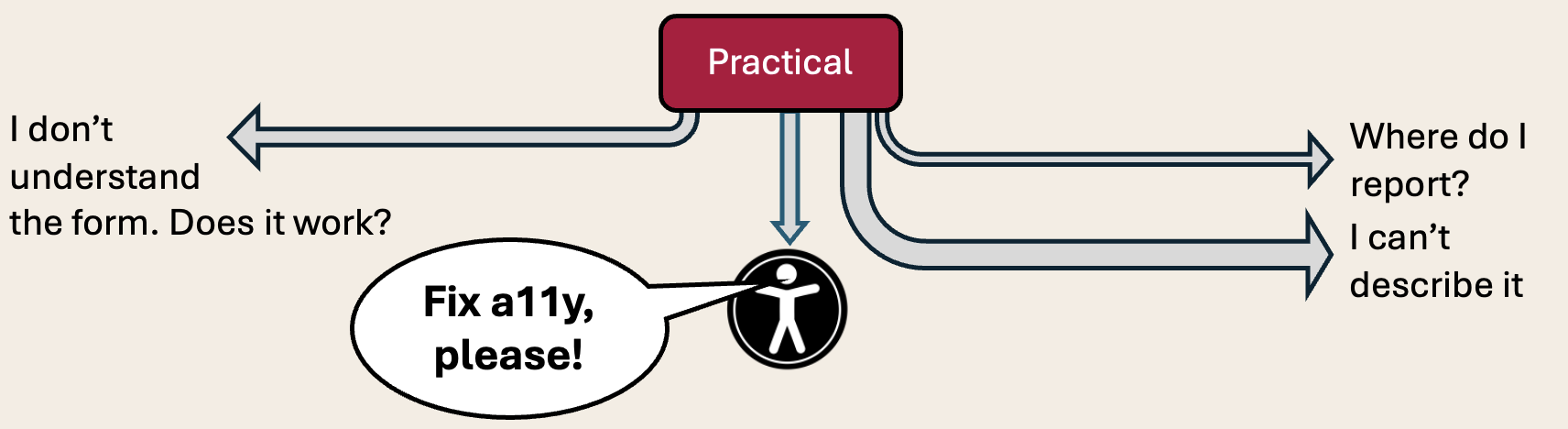
4. Practical obstacles

Practical challenges (described below)

Not that many users get this far, but for those who decide they have the time and energy, and are willing to take some risk, there are sometimes practical obstacles when it comes to reporting the accessibility problems:

  • Sometimes it is difficult to find the email address or feedback form - if there is one. Many organizations are so afraid of drowning in complaints that they hide their contact channels behind a labyrinth of FAQ lists and chatbots.
  • And if you finally find that feedback form, it might have so many mandatory fields that you don't understand, that quickly drain you of any remaining energy.
  • Ironically, even accessibility feedback forms are sometimes not accessible, potentially making them impossible to use for the only people who need them. Yes, I am looking at you, CAPTCHA. 
  • And what if all of the above works just fine, but I am unable to describe the barrier? Or I don't remember how to reproduce the situation? Or I don't know exact name and version of my assistive technology, operating system or device? Will the form still validate? Will the recipient dismiss my report?

Say thanks, and fix the problem!

Organizations should be very thankful to anybody who has made the effort to report an accessibility problem!

This is a luxury! 

You get a chance to improve, reducing the number of visitors/customers who need to go to a competitor, or become unhappy and complain about you to their peers.

Even if it can hurt a bit to learn about our own problems, don't shoot the messengers! They're your best friends!

Offer a "barrier bounty program"?

For security problems, there's something called "bug bounty programs", offering rewards to those who find and responsively report security problems (instead of exploiting them). Maybe consider something similar for accessibility problems?


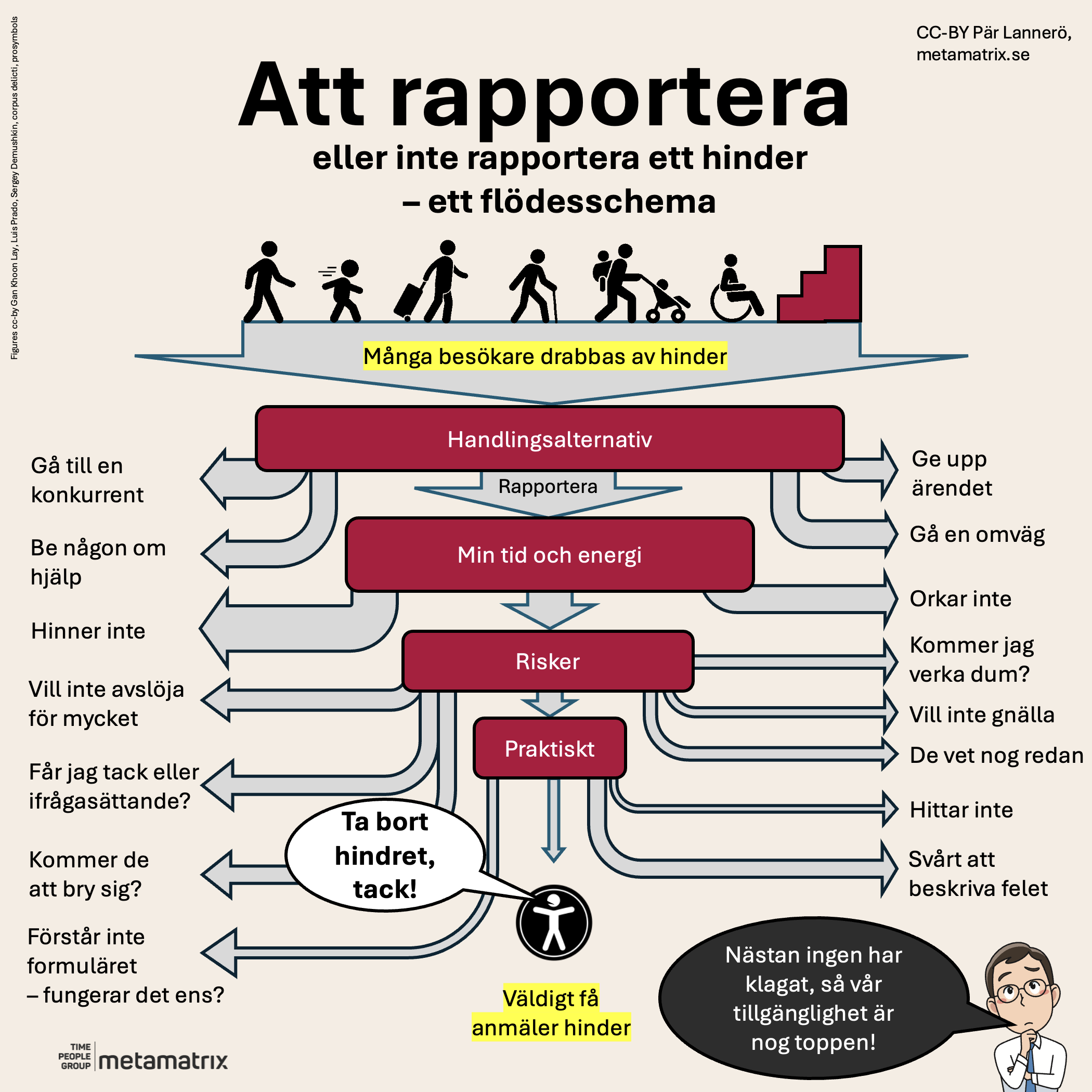
Infographic/flowchart version of this article

What do you say?

  • Do these observations match your experience?
  • What other reasons do you know for reporting or not reporting barriers?
  • What accessibility problems did you experience in this article?

I will try to be nice if you get in touch, even if you report a problem!

Publicerad:
Pär Lannerö, porträtt

Pär Lannerö

Senior konsult inom digital tillgänglighet